Rules Runtime Context Management from Rules
Rules Runtime Context Management from Rules
The following additional internal methods for modification, retrieving, and restoring runtime context support work with runtime context from OpenL Tablets rules:
| Method | Description |
|---|---|
| getContext() | Returns a copy of the current runtime context. 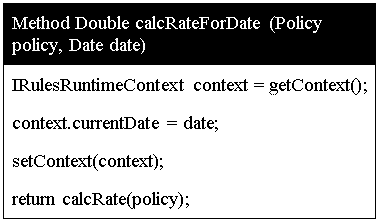 Using the getContext function in a method |
| emptyContext() | Returns new empty runtime context. |
| setContext(IRulesRuntimeContext context) | Replaces the current runtime context with the specified one. |
| modifyContext(String propertyName, Object propertyValue) | Modifies the current context by one property: adds a new one or replaces by specified if property with such a name already exists in the current context. 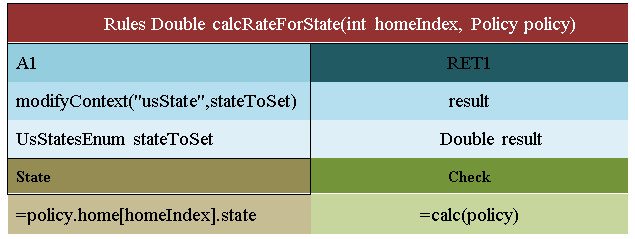 Using modifyContext in a rules table Note: All properties from the current context remain available after modification, so it is only one property update. |
| restoreContext() | Discharges the last changes in runtime context. The context is rolled back to the state before the last setContext or modifyContext. 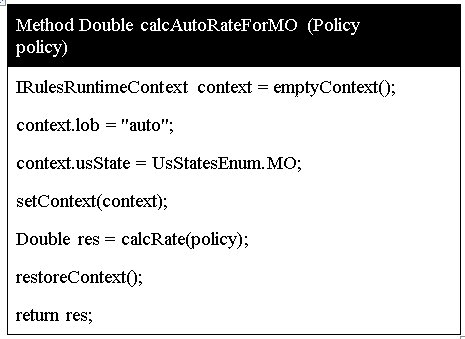 Using restoreContext in a method table |
ATTENTION: All changes and rollbacks must be controlled manually: all changes applied to runtime context will remain after rule execution. Make sure that the changed context is restored after the rule is executed to prevent unexpected behavior of rules caused by unrestored context.
Note: The org.openl.rules.context package must be imported as illustrated in the following figure so that a user can work with runtime context from rules:
