Using Ranges in Spreadsheet Table
The following syntax is used to specify a range in a spreadsheet table:
$FirstValue:$LastValue
An example of using a range this way in the TotalAmount column is as follows.
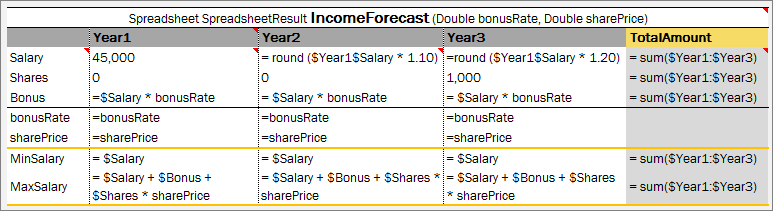
Using ranges of Spreadsheet table in functions
Note: In expressions, such as min/max($FirstValue:$LastValue), there must be no space before and after the colon ‘:’ operator.
Note: It is impossible to make math operations under ranges which names are specified with spaces. Please use step names without spaces.