Managing the Maven Repository
Managing the Maven Repository
A rules.xml can name its dependencies by Maven coordinates in <mavenArtifact>: a library, such as a jar with Java
classes the rules call, and an OpenL project. A project built by Maven has a pom.xml beside rules.xml, whose
dependencies are libraries of the project too, and whose zip dependencies are the OpenL projects rules.xml names
by name. A pom-less project takes them from the pom.xml of the folder above it that builds it with the OpenL Maven
Plugin, which also sets the versions of the coordinates its rules.xml names. OpenL Studio downloads them from a
Maven repository, such as Maven Central or a Nexus or Artifactory server of the company, to compile the project and
run its tests.
To set the Maven repository, proceed as follows:
- In the administration area, click Maven on the left.
- In the URL field, enter the address of the repository, such as
https://repo.maven.apache.org/maven2, orfile:///opt/maven-repositoryfor a repository in a folder of the server. - If the repository requires authentication, enter the Username and the Password.
- In the Cleanup Period (Days) field, enter how many days a downloaded dependency no project uses is kept.
-
In the Cleanup Threshold (MB) field, enter how large the downloaded dependencies may grow before the ones used longest ago are removed.
A
0in either field turns that rule off. A dependency a project reads at the moment is never removed. -
Click Apply and confirm.
OpenL Studio restarts, so all users lose their unsaved changes.
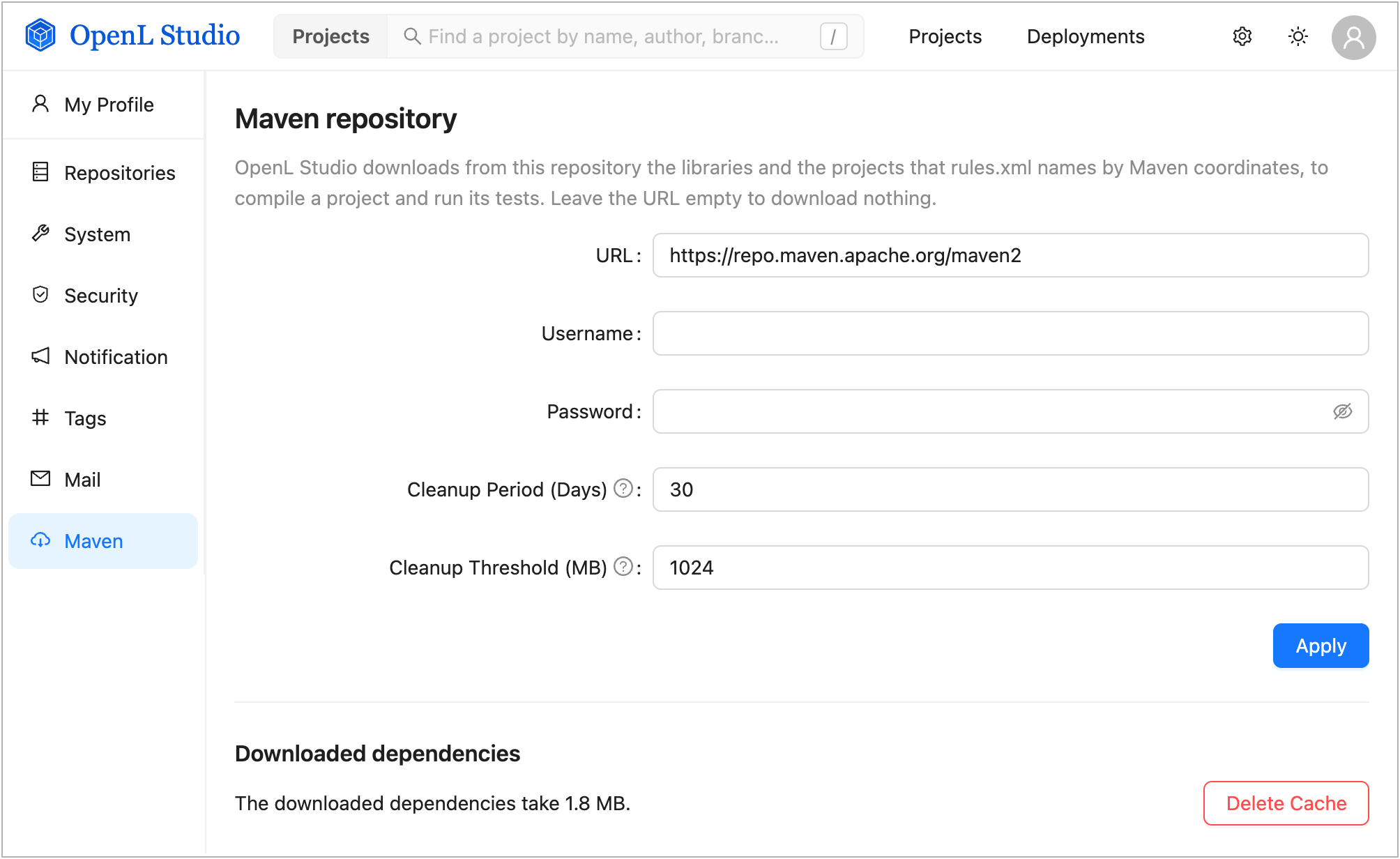
Maven repository settings
To stop downloading, clear the URL field and click Apply.
The size of the downloaded dependencies shows under Downloaded dependencies. To delete them all, click Delete Cache and confirm. Every project downloads its Maven dependencies again when it compiles next. In a cluster, each OpenL Studio instance keeps its own downloads, and the button deletes those of the instance that serves you.
What OpenL Studio does with the downloaded dependencies:
- A library — a
<dependency>without<name>, such as<mavenArtifact>org.apache.commons:commons-text:jar:1.15.0</mavenArtifact>, is downloaded with the libraries it needs at runtime, and the rules of the project can use their classes. - An OpenL project — a
<dependency>with<name>and<mavenArtifact>, such ascom.example:shared-data-project:1.0.0, is downloaded while you have no project of that name open. The project compiles as a dependency and cannot be edited. Once you open a project of that name, it is compiled instead, with your changes; closing it switches back to the downloaded one. - A deployment — a deployed project carries the libraries it names, and the Deploy dialog lets the user take a dependency project from the Maven repository instead of Design repository, so OpenL Rule Services need no Maven repository.
A dependency that cannot be downloaded shows as an error of the project, which starts with
Cannot download a Maven dependency: or names the coordinates. OpenL Studio asks the Maven repository again after
five minutes.
For the coordinates and the rules OpenL Studio follows, see Maven Dependencies in OpenL Studio. For the properties of these settings and the folder that keeps the downloaded files, see OpenL Tablets Installation Guide > Maven Repository.