Using References to Expressions
References to expressions can be used in decision tables. They can be referenced from table headers and within table body.
- $Expr.C1 is used to reference the expression for condition C1. To address action or return expression use RET1 and A1 respectively.
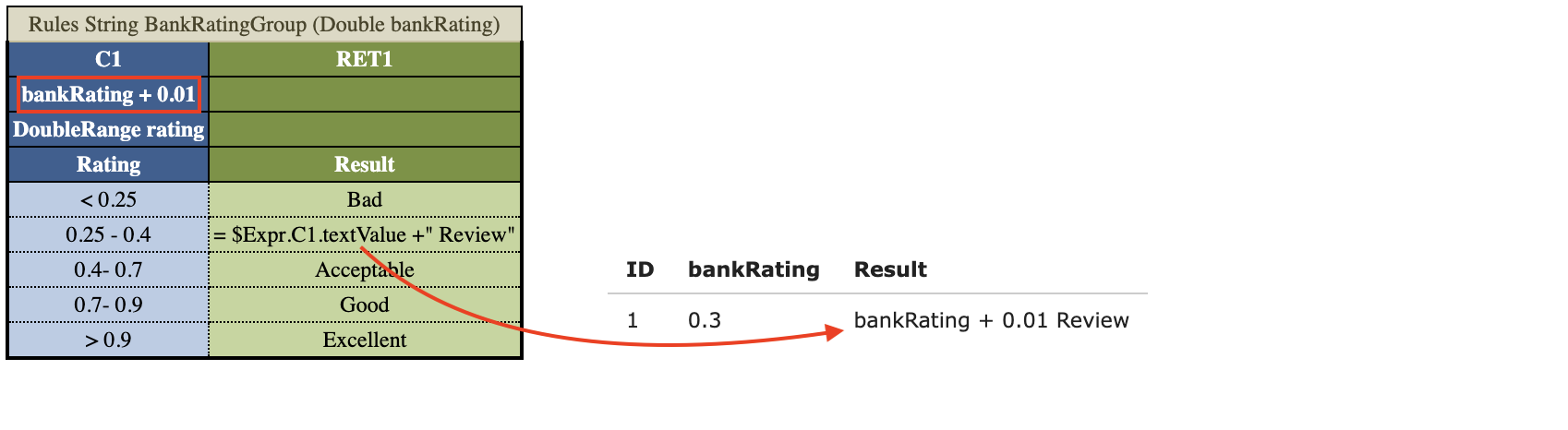
- $Expr.$C1.param1 is an expression defined as a value in a column for the param1 condition parameter. $C1 is optional. For instance, in the example below, parameter cond is the condition parameter for condition C2. It’s important to use named parameters which is possible in decision tables of Rules type or when working with external conditions, actions, or returns in smart tables.
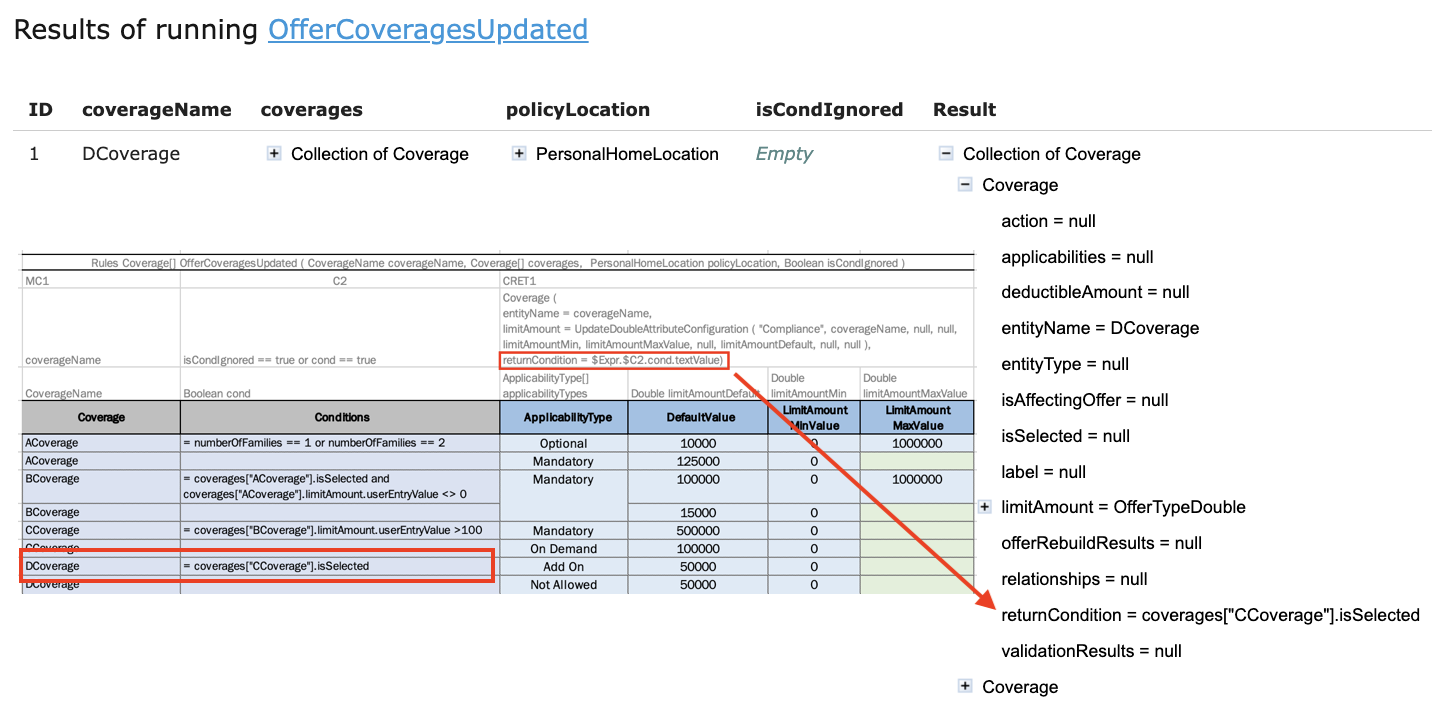
$Expr.C1, $Expr.$C1.param1 return the expression type that contains following attributes:
ast- returns AST (Abstract Syntax Tree) tree for the expressiontextValue- returns a string representing an expression
The value of a parameter is referenced without $Expr:
- $C1.param1 is the value of the param1 parameter of condition C1 in the current rule. To address a parameter of an action or a return, use $A1 and $RET1 respectively.
- A formula of one parameter can refer to another parameter of its own column. For example, in a return column
RET1with the parameters base and doubled, the cell of doubled can hold= $RET1.base * 2. - A formula of a condition parameter is computed once in a call of the table: $C1.param1 read in a return or an action gives the value computed to match the rule, without running the formula again. A formula of an action or a return parameter is computed each time it is read.
Note: If a cell, which is expected to contain an expression or formula, is empty, it will return null.