Constants Table
A constants table allows defining constants of different non-custom types. These constants can be then used across the whole project and they do not have to be listed as input parameter in the table header.
An example of a constants table and constants usage is as follows.
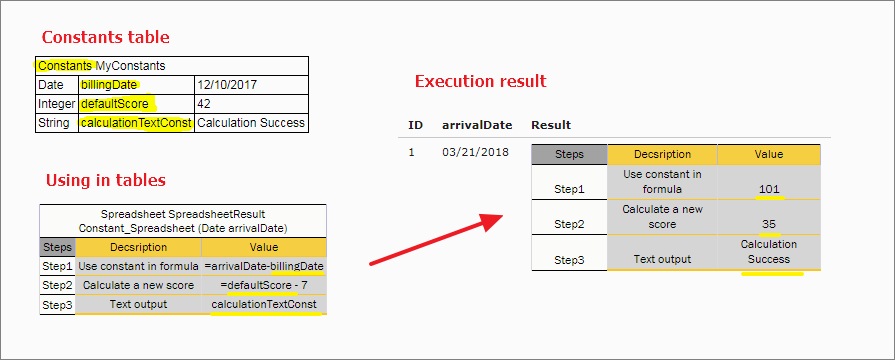
Constants table and usage example
In this example, users can create names for some values and use those in rule cells without the “=” symbol. Constants are used in the body of the table but are not listed in the header as input.
The format of the constants table is as follows:
-
The first row is a table header, which has the following format:
Constants <optional table name>
-
The second row contains cells with a type, name, and value of the constant.
An expression can be used for a constant, for example, 1/3. To define an empty string, use the _DEFAULT_ value.